When trying to use Tensorflow in a remote setting using screen, I ran into the following error:
ImportError: libcublas.so.8.0: cannot open shared object file: No such file or directory
I forget where I found the fix, but the issue had to do with how screen preserves the environment variables of the system (It doesn't). Here's the fix:
screen env LD_LIBRARY_PATH=$LD_LIBRARY_PATH bash
This opens a new screen instance running bash with the appropriate shared libraries.
Showing posts with label Linux. Show all posts
Showing posts with label Linux. Show all posts
Tuesday, November 14, 2017
Wednesday, April 26, 2017
Tweaking Keyboard from the Command Line
I love swapping my CAPS and CTRL keys, and I never found the tweak tool solution to be very elegant. I found this quick solution, which didn't require me to install anything. I've included it below for reference. Great fix!
Open the following for editing:
sudo nano /etc/default/keyboard
And edit
XKBOPTIONS="ctrl:swapcaps"
Then, reconfigure:
sudo dpkg-reconfigure keyboard-configuration
And just go through the prompts as they are.
For more options you can change, check here.
Open the following for editing:
sudo nano /etc/default/keyboard
And edit
XKBOPTIONS="ctrl:swapcaps"
Then, reconfigure:
sudo dpkg-reconfigure keyboard-configuration
And just go through the prompts as they are.
For more options you can change, check here.
Wednesday, March 16, 2016
Effectively Destroying the Gnome Screen Lock/Shield
I ran into an annoying problem with Gnome and GDM... the notorious screen lock/shield. Anyway, I seem to have fixed it with the following commands. Note that my goal was to get rid of the lock and many of the other techniques did not work.
gsettings set org.gnome.desktop.session idle-delay 4000000000
This effectively delays the screen lock for 126 years! Perfect.
gsettings set org.gnome.desktop.session idle-delay 4000000000
This effectively delays the screen lock for 126 years! Perfect.
Gentoo Commands
Below is a list of commands that I found I was often using during setup of the Gentoo Linux distro with brief descriptions of what they do. I will not always explain all the flags nor will the commands be in their most generic form. However, I will link to the full help files where appropriate. This list is largely for me, but I thought that the community might also find it helpful.
The backslash is used to indicate a multiline command as per Linux syntax.
Basic but useful for editing text without linewraps:
nano -w <file>
Obvious ping syntax for 3 calls.
ping -c 3 <website>
Checking out networks and taking them up/down
ifconfig <wifi name> [up/down]
Remove a package (lots of other emerge hints here).
emerge -aC <package>
Check status of package: R is it exists. U is update. N means new.
emerge -p <package>
Update system with new USE flags:
emerge --update --deep --newuse @world
Remove obsolete dependencies (good to check with -p flag first):
emerge --depclean
Reverse check dependencies:
revdep-rebuild
This is also good (and more powerful) for package status as described here.
equery --quiet l <package>
List of USE flags for package.
equery uses <package>
Start up wpa_supplicant in the background based on .conf file
wpa_supplicant -B -i<wifi name> \
-c/etc/wpa_supplicant/wpa_supplicant.conf
Basic .conf file should read:
ctrl_interface=/var/run/wpa_supplicant
network={
ssid="<SSID>"
psk="<passkey>"
}
But make sure that dhcpcd is up:
dhcpcd
Alternative wifi setup with dhclient and NetworkManager (nmcli website):
systemctl start NetworkManager
nmcli dev wifi connect <ssid> password <password>
A set of <type> actions (first is enable at boot):
systemctl enable <service>
systemctl stop <service>
systemctl start <service>
systemctl restart <service>
systemctl reload <service>
systemctl status <service>
systemctl disable <service>
systemctl is-active <service>
systemctl list-units --type service --all
Where the main types I'm interested in are devices, mounts, paths, and services. The rest are listed here.
Quick kernel update of the available sources.
genkernel --no-clean --menuconfig all
Useful folders and files:
USE, VIDEO_CARDS, DEVICE_INPUTS, etc.
/etc/portage/make.conf
Name of computer.
/etc/hostname
Grub file for boot parameters
/etc/default/grub
The backslash is used to indicate a multiline command as per Linux syntax.
Basic but useful for editing text without linewraps:
nano -w <file>
Obvious ping syntax for 3 calls.
ping -c 3 <website>
Checking out networks and taking them up/down
ifconfig <wifi name> [up/down]
Remove a package (lots of other emerge hints here).
emerge -aC <package>
Check status of package: R is it exists. U is update. N means new.
emerge -p <package>
Update system with new USE flags:
emerge --update --deep --newuse @world
Remove obsolete dependencies (good to check with -p flag first):
emerge --depclean
Reverse check dependencies:
revdep-rebuild
This is also good (and more powerful) for package status as described here.
equery --quiet l <package>
List of USE flags for package.
equery uses <package>
Start up wpa_supplicant in the background based on .conf file
wpa_supplicant -B -i<wifi name> \
-c/etc/wpa_supplicant/wpa_supplicant.conf
Basic .conf file should read:
ctrl_interface=/var/run/wpa_supplicant
network={
ssid="<SSID>"
psk="<passkey>"
}
But make sure that dhcpcd is up:
dhcpcd
Alternative wifi setup with dhclient and NetworkManager (nmcli website):
systemctl start NetworkManager
nmcli dev wifi connect <ssid> password <password>
A set of <type> actions (first is enable at boot):
systemctl enable <service>
systemctl stop <service>
systemctl start <service>
systemctl restart <service>
systemctl reload <service>
systemctl status <service>
systemctl disable <service>
systemctl is-active <service>
systemctl list-units --type service --all
Where the main types I'm interested in are devices, mounts, paths, and services. The rest are listed here.
Quick kernel update of the available sources.
genkernel --no-clean --menuconfig all
Useful folders and files:
USE, VIDEO_CARDS, DEVICE_INPUTS, etc.
/etc/portage/make.conf
Name of computer.
/etc/hostname
Grub file for boot parameters
/etc/default/grub
Wednesday, March 2, 2016
Steam on Gentoo
Following my last post where I set up the Gentoo kernel on my laptop, one of the next things to do was get the Steam client running on the system. I used this wiki page for the base setup and followed the manual approach after failing an attempt to use overlays (USE flag chaos ensued and I just restarted). Honestly, I thought the overlay was going to save me from having to copy over the dependency lists and it did not.
To save you, my fellow reader, from having to deal with that nonsense, I have added both updated files to my website. If you cd to each of the desired locations then call wget, you will scoop those files for free. The full code is:
mkdir /etc/portage/sets/
cd /etc/portage/sets/
wget http://www.theworldmatrix.ca/steam_set -O steam
cd /etc/portage/package.use/
wget http://www.theworldmatrix.ca/steam
I did both of these before emerge'ing using this call:
emerge -a @steam
Then update check:
emerge -a --changed-use --deep @world
Fetch the steam installer while logged into a user rather than root and then open it (this way it goes into /home I believe; keep in mind that the \ is a line continuation mark):
wget http://repo.steampowered.com/steam/ \
archive/precise/steam_latest.tar.gz
tar -xvzpf steam_latest.tar.gz
Now, when I followed the instructions from here I got all kinds of weird errors that varied depending on whether I was in root or in a user account. The first one had to do with the other tar file that was downloaded (bootstraplinux_ubuntu12_32.tar.xz). I fixed this by running make install from root in the steam directory. The user account then started to get errors stemming from /share/Steam/steam.sh (e.g., VERSION_ID: unbound variable) while the root account first complained about xterm (I updated the portage files that you downloaded to accommodate this change), then complained about a missing $DISPLAY variable. After scouring the docs, I realized that there seemed to be a conflict when xterm tried to boot the Xorg display server. So, knowing that Gnome booted the display server, I booted up Gnome and tried to run the steam code in an xterm window. It worked! The final command from within the steam folder in your home directory is:
./steam
And that is it. Enjoy!
To save you, my fellow reader, from having to deal with that nonsense, I have added both updated files to my website. If you cd to each of the desired locations then call wget, you will scoop those files for free. The full code is:
mkdir /etc/portage/sets/
cd /etc/portage/sets/
wget http://www.theworldmatrix.ca/steam_set -O steam
cd /etc/portage/package.use/
wget http://www.theworldmatrix.ca/steam
I did both of these before emerge'ing using this call:
emerge -a @steam
Then update check:
emerge -a --changed-use --deep @world
Fetch the steam installer while logged into a user rather than root and then open it (this way it goes into /home I believe; keep in mind that the \ is a line continuation mark):
wget http://repo.steampowered.com/steam/ \
archive/precise/steam_latest.tar.gz
tar -xvzpf steam_latest.tar.gz
Now, when I followed the instructions from here I got all kinds of weird errors that varied depending on whether I was in root or in a user account. The first one had to do with the other tar file that was downloaded (bootstraplinux_ubuntu12_32.tar.xz). I fixed this by running make install from root in the steam directory. The user account then started to get errors stemming from /share/Steam/steam.sh (e.g., VERSION_ID: unbound variable) while the root account first complained about xterm (I updated the portage files that you downloaded to accommodate this change), then complained about a missing $DISPLAY variable. After scouring the docs, I realized that there seemed to be a conflict when xterm tried to boot the Xorg display server. So, knowing that Gnome booted the display server, I booted up Gnome and tried to run the steam code in an xterm window. It worked! The final command from within the steam folder in your home directory is:
./steam
And that is it. Enjoy!
Sunday, February 28, 2016
A New Linux Distro for 2016 (Compiling...)
I'm getting back into more technical projects than the many research topics I have been working on of late and I am going to turn this blog into a publishing ground for these projects. A streamlined version of what is here will probably end up on my Github for those who are interested.
I mainly followed the handbook for amd64. If you are using something else, the approach might be different.
The first project is to do another Linux setup with one of the more complicated distros: Gentoo. I had machines running earlier versions of Ubuntu (over 5 years ago) and CrunchBang (2 years ago). In what follows, I will discuss some of the challenges I ran into during the initial installation. Subsequent posts will discuss other details.
System Specs:
Acer V3-571-6447 (refurbished)
Intel Core i3-2328M
Intel HD Graphics 3000
Atheros 9k Wifi Card
I mainly followed the handbook for amd64. If you are using something else, the approach might be different.
Using Gentoo amd64 minimal installation CD (date stamped 2016-02-18).
I burned it to a DVD ROM rather than a CD. No problem.
Challenge 1: UEFI
Challenge 1: UEFI
The system was set up with native Windows 8 support so you can't boot to the UEFI menu from startup. I found out how to get there from this site.
Following these instructions, I then turned off UEFI, rebooted, hit F2 for bios, and then swapped the boot order so the disc drive was highest priority.
Easy enough.
Easy enough.
Challenge 2: Wifi Setup
Setup for Atheros 9k Card driver went well (modprobe ath9k).
My network was running WPA encryption so I had to switch to WEP-ASCII in order to get the network working properly. I intend to switch it back once I have the system up.
ifconfig gave me the network names and net-setup <wifi name> provided the initial setup with dhcpcd <wifi name> providing the means to get the network off the ground (i.e., successful ping of google.com).
Challenge 3: Wifi Hell
After I booted into the new kernel, I found that I didn't have access to iwconfig, so I had to boot back into the livecd and emerge --ask net-wireless/wireless-tools. My suggestion is that you do this before this point.
After that was fixed, I couldn't seem to get the wifi up. But ,there seems to be an extremely strict order to the setup. First you modprobe ath9k then you take down the network with ifconfig <wifi name> down. The next step is to set the ESSID and key with iwconfig as follows:
iwconfig <wifi name> essid "<name of network>"
iwconfig <wifi name> key s:"<ASCII-password>"
After that, ifconfig <wifi name> up has to be called before dhcpcd <wifi name> is called. That got the wifi up and running for me when no other combination or order could.
Challenge 4: Adding wpa_supplicant
This was surprisingly easy. Just follow the instructions here. Honestly, I would suggest emerging this to the new kernel from the livecd rather than dealing with iwconfig.
Note: you have to /etc/init.d/dhcpcd restart before trying to run anything. A fresh reboot always works, too.
(as one line)
wpa_supplicant -B -i<wifi name>
-c/etc/wpa_supplicant/wpa_supplicant.conf
is also a good command to get things rolling.
Challenge 5: Xorg
Turns out you can modify the kernel directly from within the kernel easily enough as shown here. I followed instructions for Xorg's kernel setup from here. I also built-in synaptic's touchpad source files as follows:
Device Drivers --->
I2C support --->
-*- I2C support
Input device support --->
Mice --->
<*> Synaptics I2C Touchpad support
<*> Synaptics USB device support
Challenge 6: systemd Nightmare
I got it up and running but I am not even confident what I did. I used these three websites (1, 2, 3).
Steps that I am confident happened:
Update USE:
nano -w /etc/portage/make.conf
add systemd dbus -consolekit to USE=
Using genkernel-next:
emerge -aC sys-kernel/genkernel
emerge -a sys-kernel/genkernel-next
To begin source set and installation (I did not use lvm or udev for initramfs though both sources were available in the kernel):
genkernel --menuconfig --install all
This source parameter was set:
Gentoo Linux --->
Support for init systems, system and service managers --->
[*] systemd
Symlink for mtab:
ln -sf /proc/self/mounts /etc/mtab
Install systemd (I tried setting the USE before installing and it failed):
emerge -av systemd
Updated the system:
emerge -avuND @world
Update grub (real_init worked in the final attempt... did not care to try if init would work):
GRUB_CMDLINE_LINUX="real_init=/usr/lib/systemd/systemd"
And rebooted.
Challenge 7: NetworkManager
Had to recompile the source for a couple options listed here. In emerge'd dhclient first then set dhclient and networkmanager into the USE of make.conf. Then I emerge'd networkmanager.
emerge -a net-misc/dhcp
emerge -a net-misc/networkmanager
I then shut off dhcpcd with:
/etc/init.d/dhcpcd stop
Then booted up NetworkManager through systemd:
systemctl start NetworkManager
This initialized the network but it needed to be connected. I looked up dhclient and found the command line call here.
nmcli dev wifi connect <ssid> password <password>
This got me up and running. But, as a final cleanup I removed dhcpcd and enabled NetworkManager on boot.
emerge -cav dhcpcd
systemctl enable NetworkManager
Challenge 8: Gnome
I just followed the instructions for gnome-base/gnome-light, which can be found here.
ifconfig gave me the network names and net-setup <wifi name> provided the initial setup with dhcpcd <wifi name> providing the means to get the network off the ground (i.e., successful ping of google.com).
Challenge 3: Wifi Hell
After I booted into the new kernel, I found that I didn't have access to iwconfig, so I had to boot back into the livecd and emerge --ask net-wireless/wireless-tools. My suggestion is that you do this before this point.
After that was fixed, I couldn't seem to get the wifi up. But ,there seems to be an extremely strict order to the setup. First you modprobe ath9k then you take down the network with ifconfig <wifi name> down. The next step is to set the ESSID and key with iwconfig as follows:
iwconfig <wifi name> essid "<name of network>"
iwconfig <wifi name> key s:"<ASCII-password>"
After that, ifconfig <wifi name> up has to be called before dhcpcd <wifi name> is called. That got the wifi up and running for me when no other combination or order could.
Challenge 4: Adding wpa_supplicant
This was surprisingly easy. Just follow the instructions here. Honestly, I would suggest emerging this to the new kernel from the livecd rather than dealing with iwconfig.
Note: you have to /etc/init.d/dhcpcd restart before trying to run anything. A fresh reboot always works, too.
(as one line)
wpa_supplicant -B -i<wifi name>
-c/etc/wpa_supplicant/wpa_supplicant.conf
is also a good command to get things rolling.
Challenge 5: Xorg
Turns out you can modify the kernel directly from within the kernel easily enough as shown here. I followed instructions for Xorg's kernel setup from here. I also built-in synaptic's touchpad source files as follows:
Device Drivers --->
I2C support --->
-*- I2C support
Input device support --->
Mice --->
<*> Synaptics I2C Touchpad support
<*> Synaptics USB device support
Challenge 6: systemd Nightmare
I got it up and running but I am not even confident what I did. I used these three websites (1, 2, 3).
Steps that I am confident happened:
Update USE:
nano -w /etc/portage/make.conf
add systemd dbus -consolekit to USE=
Using genkernel-next:
emerge -aC sys-kernel/genkernel
emerge -a sys-kernel/genkernel-next
To begin source set and installation (I did not use lvm or udev for initramfs though both sources were available in the kernel):
genkernel --menuconfig --install all
This source parameter was set:
Gentoo Linux --->
Support for init systems, system and service managers --->
[*] systemd
Symlink for mtab:
ln -sf /proc/self/mounts /etc/mtab
Install systemd (I tried setting the USE before installing and it failed):
emerge -av systemd
Updated the system:
emerge -avuND @world
Update grub (real_init worked in the final attempt... did not care to try if init would work):
GRUB_CMDLINE_LINUX="real_init=/usr/lib/systemd/systemd"
And rebooted.
Challenge 7: NetworkManager
Had to recompile the source for a couple options listed here. In emerge'd dhclient first then set dhclient and networkmanager into the USE of make.conf. Then I emerge'd networkmanager.
emerge -a net-misc/dhcp
emerge -a net-misc/networkmanager
I then shut off dhcpcd with:
/etc/init.d/dhcpcd stop
Then booted up NetworkManager through systemd:
systemctl start NetworkManager
This initialized the network but it needed to be connected. I looked up dhclient and found the command line call here.
nmcli dev wifi connect <ssid> password <password>
This got me up and running. But, as a final cleanup I removed dhcpcd and enabled NetworkManager on boot.
emerge -cav dhcpcd
systemctl enable NetworkManager
Challenge 8: Gnome
I just followed the instructions for gnome-base/gnome-light, which can be found here.
Tuesday, November 6, 2012
The Battle of OSes: Valve vs Windows (Round 1)
Pseudo-Abstract:
The post discusses the changing technological landscape. Using a fake claim that Half-Life 3 will be exclusive to Linux as a leaping point, it seeks to imagine what the industry might look like in the not so distant future.
Key Links:
Any recent post describing Gabe Newell's critique of Windows 8.
Some time ago I read a post in which Gabe Newell, director of Valve (Half-Life 2, Portal, Left 4 Dead), scathingly stated:
I think Windows 8 is a catastrophe for everyone in the PC space.
When I saw a post that suggested Half-Life 3 might only be released for Linux, I jumped entirely on the bandwagon. It turns out that the post is a fake, but it did inspire some additional thoughts.
If one were to imagine the future tech scene, one might see something like the following:
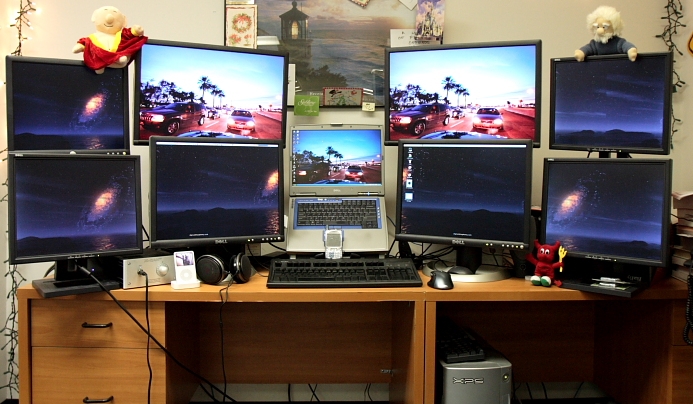
In the context of games, a move like Half-Life 3's exclusive distribution on Linux will make sense. The mainstream power gaming industry will have vanished with the transition to portable tech, and Windows/Mac will be all but non-existent. Their continued perpetuation in PCs will be propagated by the few remaining stragglers operating outmoded technologies (i.e., those who are still using Windows XP/Power PC or earlier, today, without explicit justification). Linux will be the only thing that makes sense on the hardware monstrosities that persist at such a time. And, it will hold the entire share of the remaining 'gamers,' a species that is rapidly disappearing in the mobile/casual gaming of the contemporary scene (1, 2, 3, 4).

Images courtesy of:
http://www.kosovo.net/kosbitka.html
http://www.technologytell.com/gadgets/43948/intel-shows-off-minority-report-like-glass-touch-screen-at-ces/
http://shelf3d.com/Search/Uploaded%20by%20Sidekicks912
Subscribe to:
Posts (Atom)